🏁 Section 14: End Game + About + Entry Point
📝 Summary
In this section, you’ll finish the game loop by adding end-game behavior (win/loss handling), an About dialog, and the __main__ entry point so you can run the app. When the game ends, you’ll stop the timer, show a message box, reveal mines on a loss, and disable input so the board can’t be changed after game over.
✅ Checklist
- Add
_end_game()insideclass GameApp(after_redraw) inapp.py. - Stop and cancel the timer cleanly when the game ends.
- If the player wins, update status text and show an info message box.
- If the player loses, reveal remaining mines, update status text, and show a warning message box.
- Disable all grid buttons so no more clicks are allowed after game over.
- Add
_show_about()to display a short About message box. - Add the
if __name__ == "__main__": ...block at the bottom ofapp.pyto start the app.
🎓 Core Concepts
End-game flow: Your model sets board.game_over and board.has_won. The UI should react to that by:
- Stopping the timer (so time doesn’t keep counting),
- Showing clear feedback (status label + message box),
- Making the final board state visible (reveal mines on a loss),
- Disabling input to prevent state changes after the game ends.
Message boxes: tkinter.messagebox provides simple pop-up dialogs. Use:
- messagebox.showinfo(...) for a win or general information,
- messagebox.showwarning(...) for a loss or caution message.
The __main__ entry point: In Python, code under if __name__ == "__main__": only runs when you execute the file directly (like python app.py). This is the standard way to start a Tkinter program without running it when the file is imported by tests or other modules.
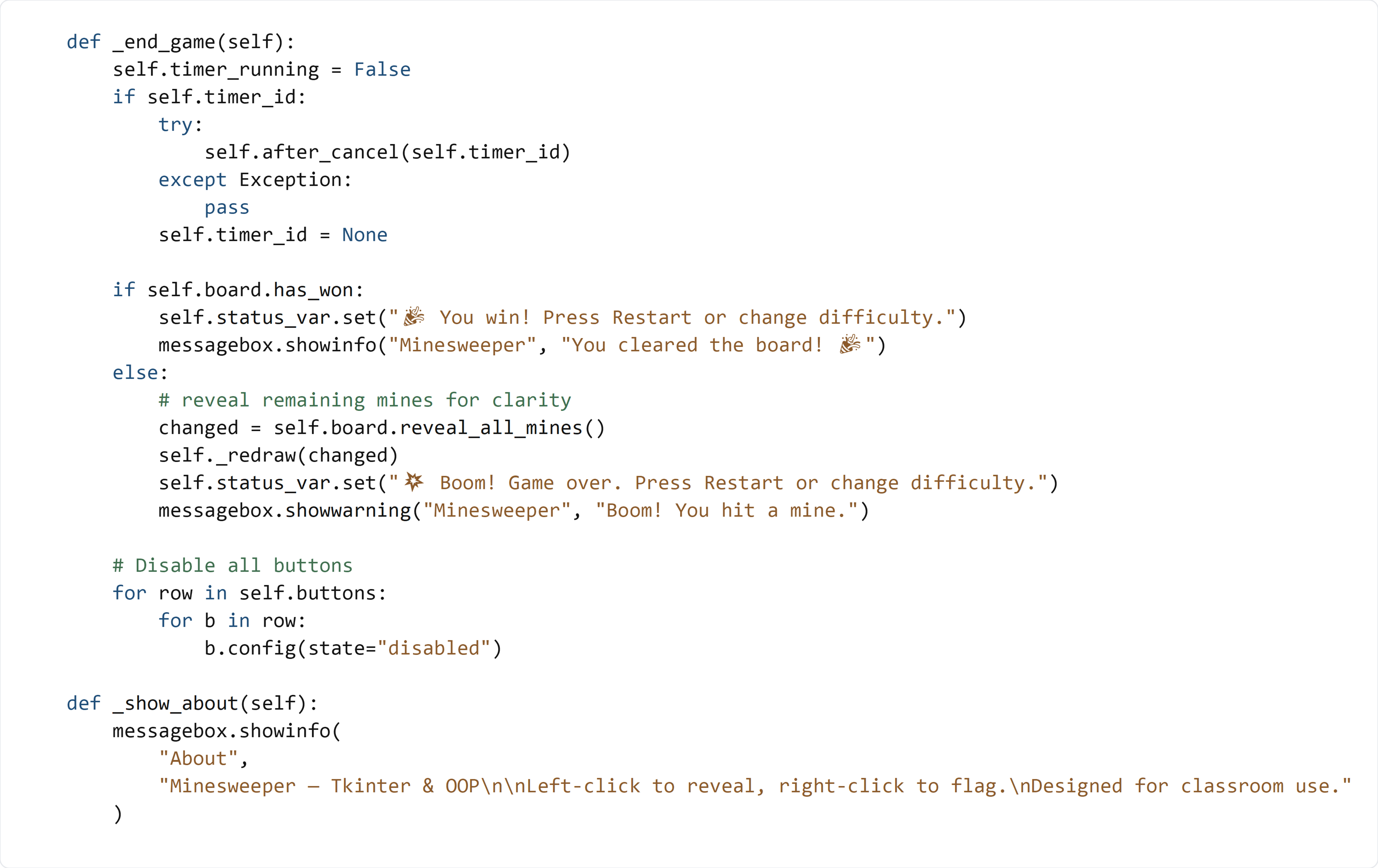
💻 Code to Write (inside class GameApp in app.py)
Type this by hand so you understand each piece.
💻 Code to Write (at the bottom of app.py, outside the class)
Type this by hand so you understand each piece. This should be the last code in the file.

😀 Emoji Copy/Paste List
🎉💥
🧠 Code Review & Key Concepts
self.timer_running = False stops _tick() from scheduling itself again.
self.after_cancel(self.timer_id) cancels the next scheduled timer callback. It’s wrapped in try/except so the app won’t crash if the timer was already canceled or invalid.
On a win:
- The status label is updated with a clear message.
- showinfo displays a friendly dialog.
On a loss:
- reveal_all_mines() returns the list of mine coordinates that changed.
- _redraw(changed) updates the UI so the mines become visible.
- showwarning gives immediate feedback that a mine was hit.
Disabling every button prevents the player from interacting with the board after game over. Restarting the game will rebuild the grid in reset_board().
The __main__ block creates the app and starts the Tkinter event loop with mainloop(). Without mainloop(), the window would open and close immediately.
🧪 Test File (create s14_test.py)
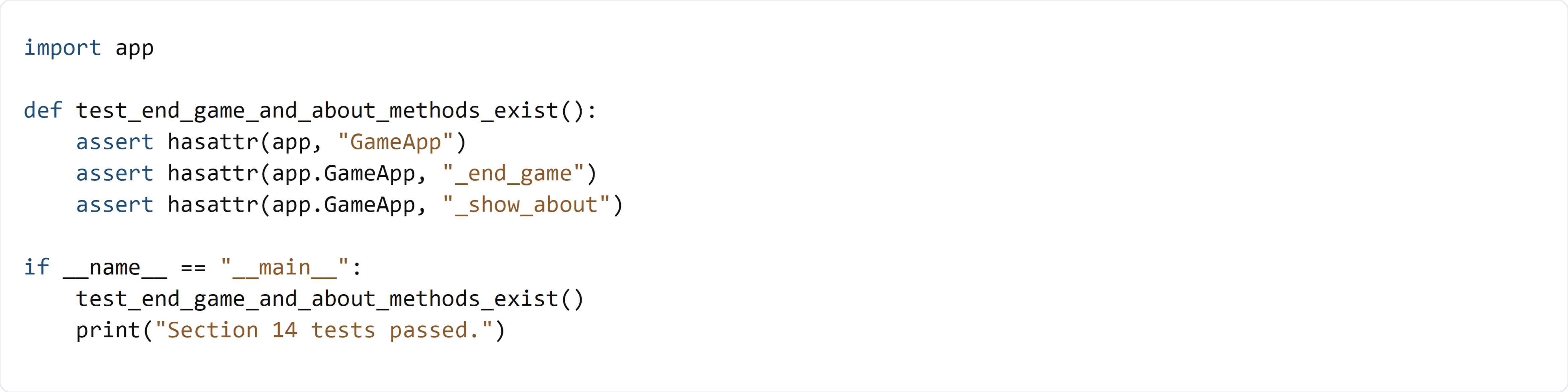
This test verifies that the end-game and About methods exist. It doesn’t execute the GUI, because message boxes and Tkinter windows require an interactive display environment and would block automated tests.