⏱️ Section 13: Timer + Redraw Helpers
📝 Summary
In this section, you will add helper methods that keep the UI updated: a 1-second timer tick, a mines-remaining label updater, and a redraw function that translates your Board + Cell state into button visuals (numbers, flags, and mines).
✅ Checklist
- Add
_tick()to update the timer once per second usingafter. - Add
_update_mines_label()to display remaining mines (estimate) using aStringVar. - Add
_redraw(changed_coords)to repaint only the buttons that changed. - In
_redraw, show covered vs. revealed visuals, including flags, numbers, and mines.
🎓 Core Concepts
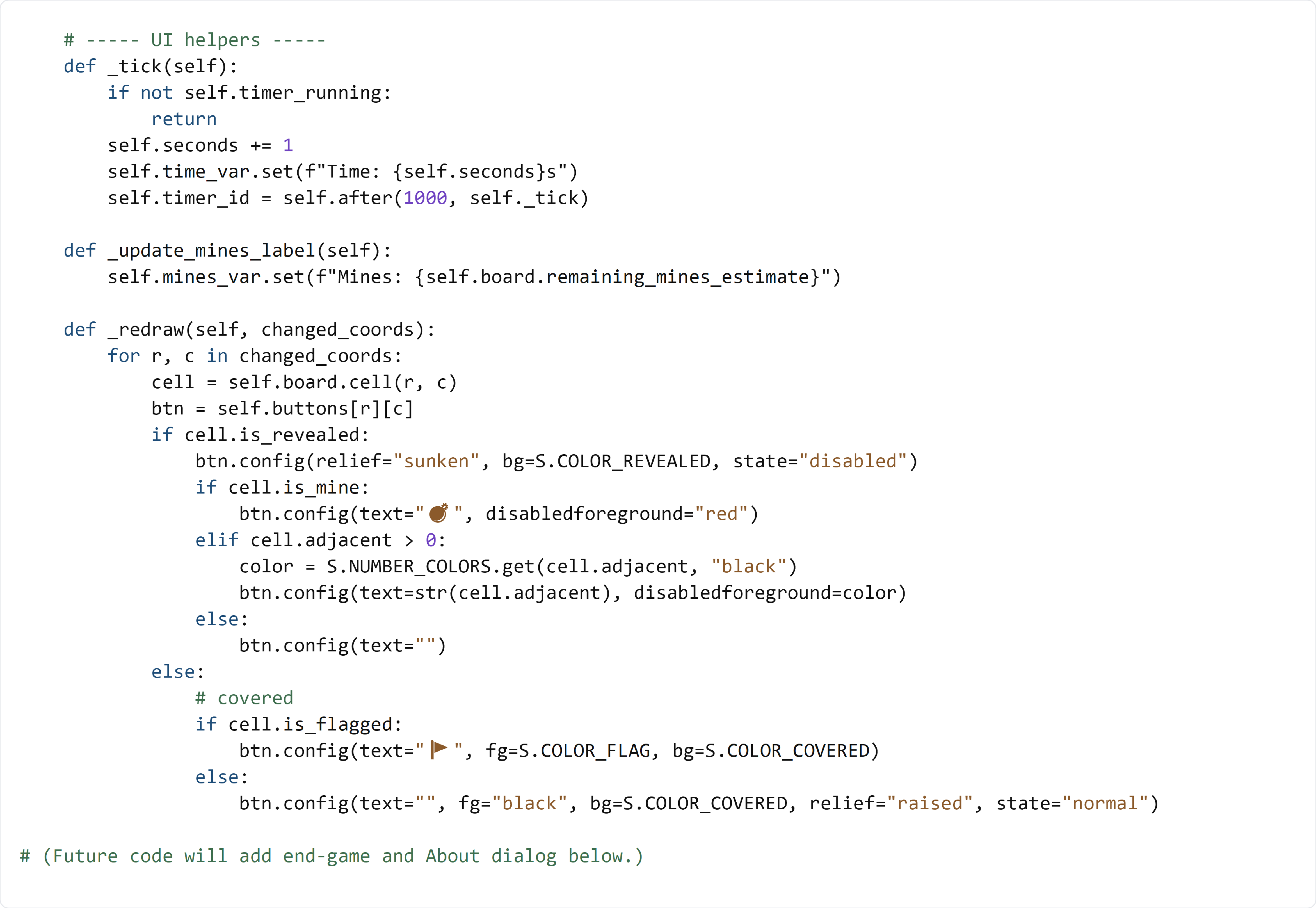
Tkinter timers with after: Tkinter runs in an event loop. Instead of using time.sleep(), we schedule future work with after(ms, callback). This keeps the UI responsive. _tick() schedules itself every 1000 ms (1 second) and stores the returned ID in self.timer_id so we can cancel it when resetting.
StringVar updates labels automatically: Your labels (mines/time/status) were created with textvariable=.... When you call self.time_var.set(...) or self.mines_var.set(...), the label text updates without needing to recreate the widget.
Model-to-UI translation: The model is “truth” (cells know if they’re mines, revealed, flagged, and their adjacent counts). The UI is just a display. _redraw() reads each changed cell from the model and updates the matching button’s text, colors, and disabled state.
Minimal redraw = less flicker: Instead of updating every button after every click, we only redraw the coordinates returned by the model (changed_coords). That keeps the app smooth, especially on larger boards.
💻 Code to Write (inside class GameApp in app.py)
Type this by hand so you understand each piece.
😀 Emoji Copy/Paste List
💣🚩
🧠 Code Review & Key Concepts
_tick() is a repeating timer:
- It exits early if timer_running is False.
- It increments self.seconds, updates time_var, then schedules the next tick with after.
_update_mines_label() pulls remaining_mines_estimate from the model. This number is based on total mines minus flags used (clamped at 0), so it behaves like classic Minesweeper.
_redraw(changed_coords) is the UI “translator”:
- It finds the model cell with self.board.cell(r, c).
- It finds the matching UI button with self.buttons[r][c].
- It chooses visuals based on cell.is_revealed, cell.is_mine, cell.adjacent, and cell.is_flagged.
When a cell is revealed, the button is disabled and sunken, and it shows either:
- 💣 (mine),
- a colored number (adjacent mines),
- or blank (zero).
When a cell is covered, it shows either:
- 🚩 if flagged,
- or an empty covered button if not flagged.
🧪 Test File (create s13_test.py)
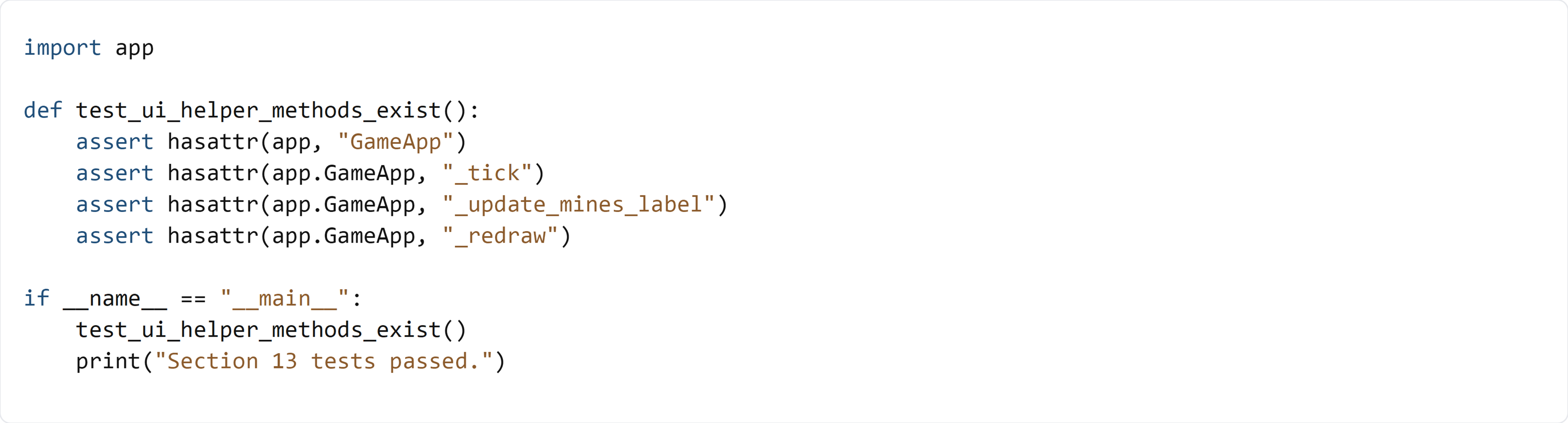
This test verifies that the UI helper methods exist on GameApp. It does not instantiate the Tkinter window, because GUI tests can require a display environment and later sections add additional methods (_end_game, _show_about) that complete the app flow.