💥 Section 7: Reveal All Mines Helper
📝 Summary
In this section, you will add a reveal_all_mines() helper method to the Board class. When the game ends, the Tkinter UI can call this method to reveal every mine and redraw the board clearly.
✅ Checklist
- Add a
reveal_all_mines(self)method insideclass Board(afterreveal). - Traverse every row and column in the grid.
- Reveal only cells that are mines and not already revealed.
- Return a list of changed coordinates so Tkinter can repaint them.
🎓 Core Concepts
Sometimes a helper method is not a “player action,” but it still supports the game. When the player clicks a mine, Minesweeper typically reveals all mines so the player can see what happened.
To do that, we traverse the whole 2D grid using nested loops: - The outer loop moves through each row. - The inner loop moves through each column in that row.
Just like in earlier sections, we return a “changed cells” list. This makes it easy for Tkinter to update only the mine buttons that changed (instead of rebuilding the whole interface).
💻 Code to Write (inside class Board in model.py)
Type this by hand so you understand each piece.
🧠 Code Review & Key Concepts
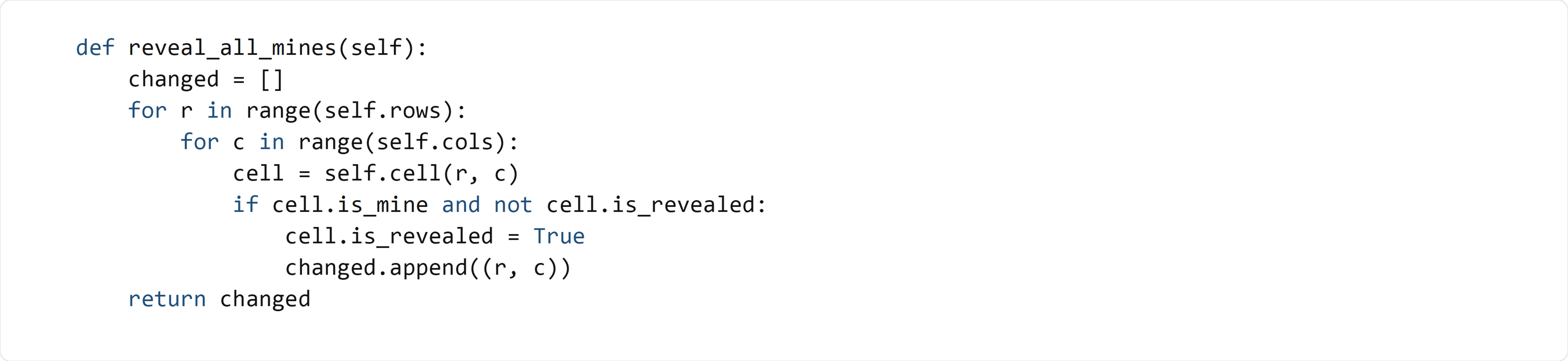
changed = [] collects all coordinates that need a UI update.
for r in range(self.rows) and for c in range(self.cols) scan every position on the board so we don’t miss any mines.
cell = self.cell(r, c) uses the board’s accessor method (stable API) instead of touching grid directly.
The condition cell.is_mine and not cell.is_revealed ensures we only reveal mines that are still hidden. Already-revealed mines don’t need to be added to the change list again.
Returning changed gives the UI the exact set of mine buttons to repaint.
🧪 Test File (create s7_test.py)
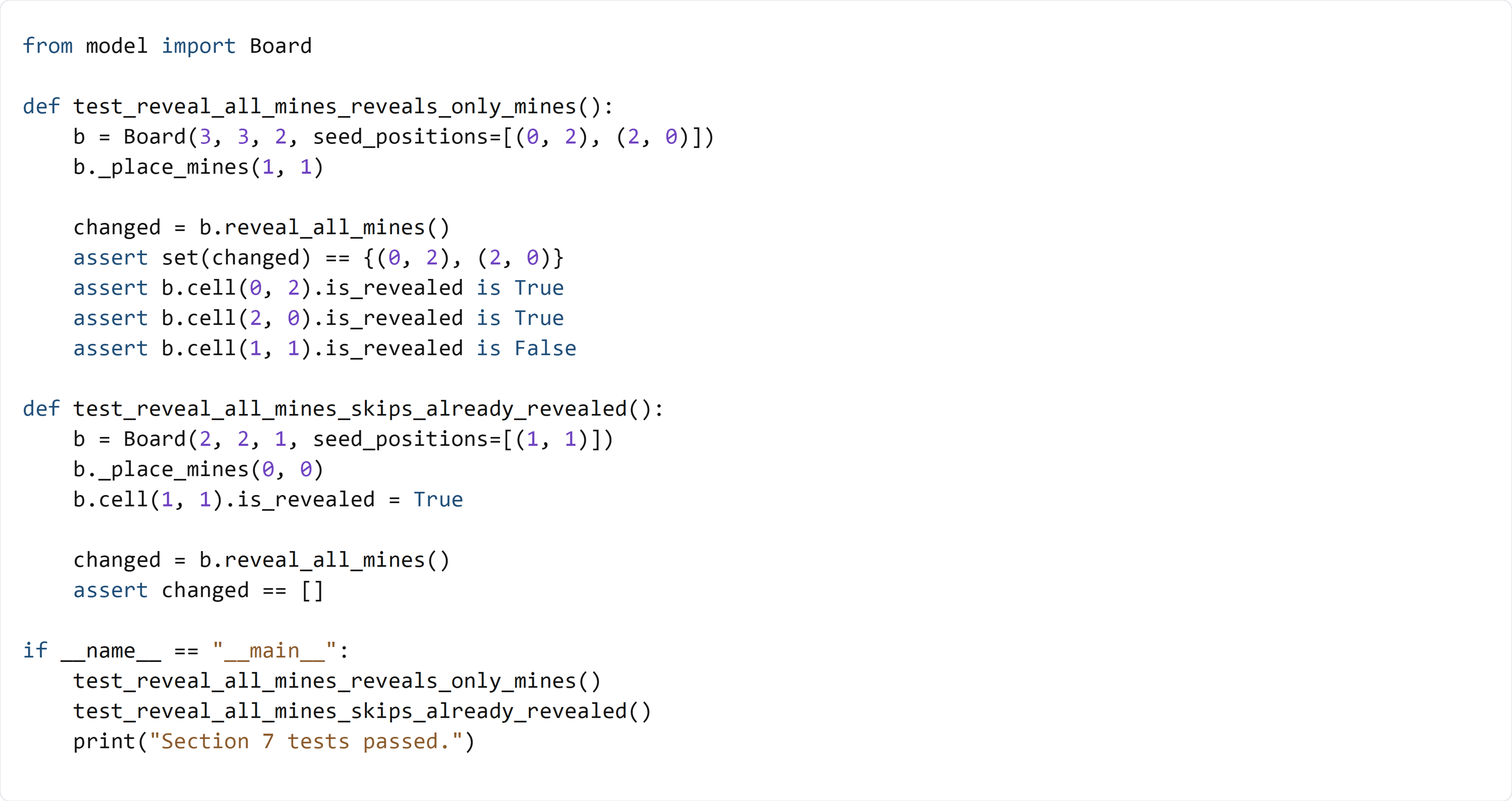
This test places mines deterministically using seed_positions, then calls reveal_all_mines() and checks that:
- Only mines are revealed (safe cells remain unchanged).
- Already-revealed mines are not returned again in the changed list.