🧱 Section 2: The Cell Class (model.py)
📝 Summary
In this section, you will create a model.py file and define the Cell class. Each Cell represents one square on the Minesweeper board, holding the game state the UI will display.
✅ Checklist
- Create a new file named
model.pyin the project root. - Add the import statements at the top.
- Define the
Cellclass with__slots__. - Create the
__init__method and set the starting values for each attribute.
🎓 Core Concepts
A class is a blueprint for objects. In Minesweeper, the smallest “thing” we care about is a single square. So we create a Cell class, and we’ll make one Cell object for every square on the board.
Each Cell holds state (facts that can change during the game):
- Where the cell is (row, col).
- Whether it contains a mine (is_mine).
- Whether the player has opened it (is_revealed).
- Whether the player has marked it as a mine (is_flagged).
- How many neighboring mines touch it (adjacent).
This is an example of separating model from UI:
- The model (model.py) stores the game rules and state.
- The UI (app.py) stores Tkinter buttons, labels, and user input.
That separation matters because it makes the code easier to test and easier to change. If the UI changes (different colors, different layout), your game logic can stay the same.
__slots__ is a tool that says: “these are the only attributes this object is allowed to have.” It helps in two ways:
- It documents the intended shape of the object.
- It prevents bugs from typos like cell.is_revealved = True silently creating a new attribute instead of updating is_revealed.
Even though sample and deque aren’t used by Cell yet, they’ll be used soon when we build the Board class (mine placement and flood-reveal). Keeping imports at the top is standard Python style.
💻 Code to Write (in model.py)
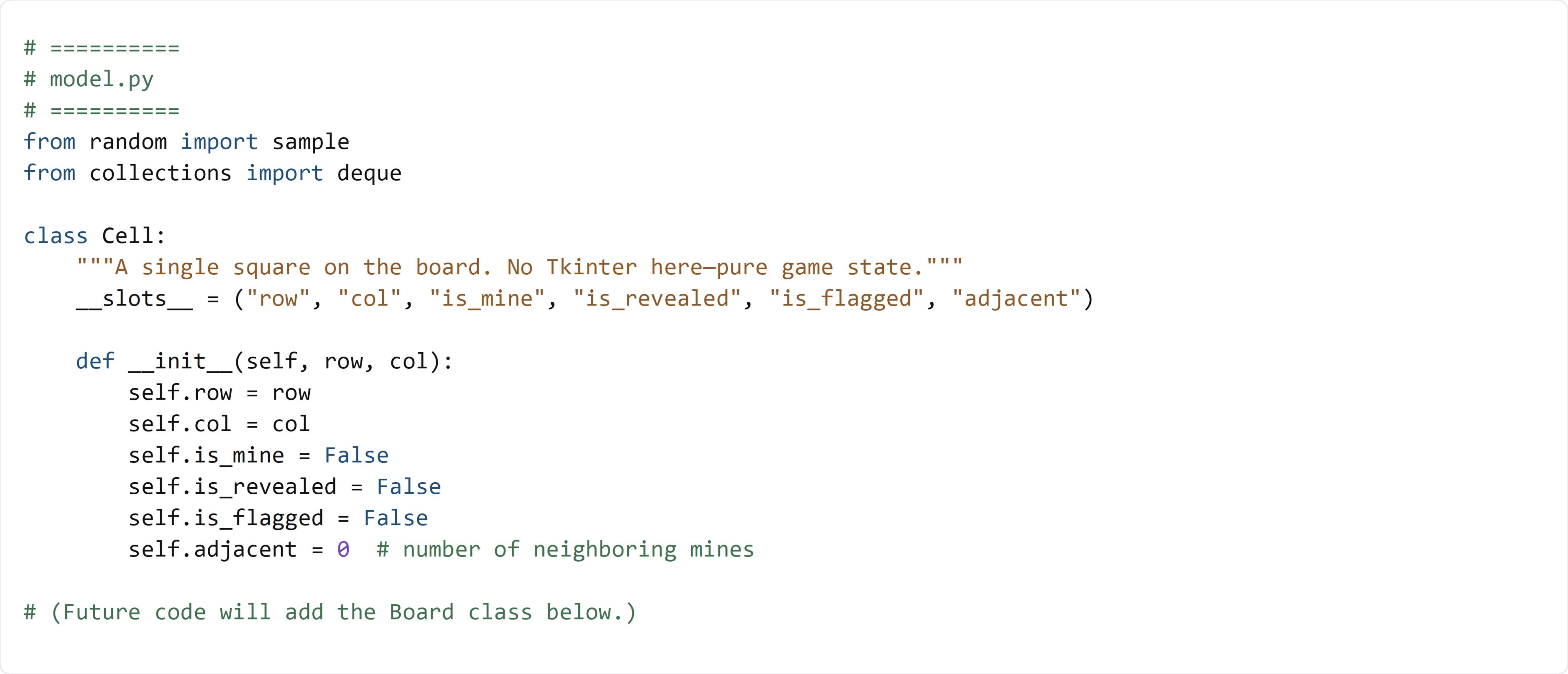
Type this by hand so you understand each piece.
🧠 Code Review & Key Concepts
class Cell: defines a new type. Later, the Board will create many Cell objects and store them in a 2D grid.
The docstring ("""A single square...""") is a human-readable explanation. It also reminds you of a key rule: “No Tkinter here.” This file is the model only.
__slots__ = (...) lists the exact attributes a Cell is allowed to have. This is a design choice to keep your model consistent and prevent accidental extra attributes.
def __init__(self, row, col): is the constructor. It runs when you do Cell(r, c).
self.row = row and self.col = col store the cell’s coordinates so the UI and model always agree on where this cell lives.
The boolean fields start as False because the default Minesweeper state is:
- no mine placed yet (is_mine is set later when mines are placed),
- cell is covered (is_revealed is False),
- no flag (is_flagged is False).
self.adjacent = 0 starts at zero. After mines are placed, the board will compute and fill in the real adjacent counts for every safe cell.
🧪 Test File (create s2_test.py)
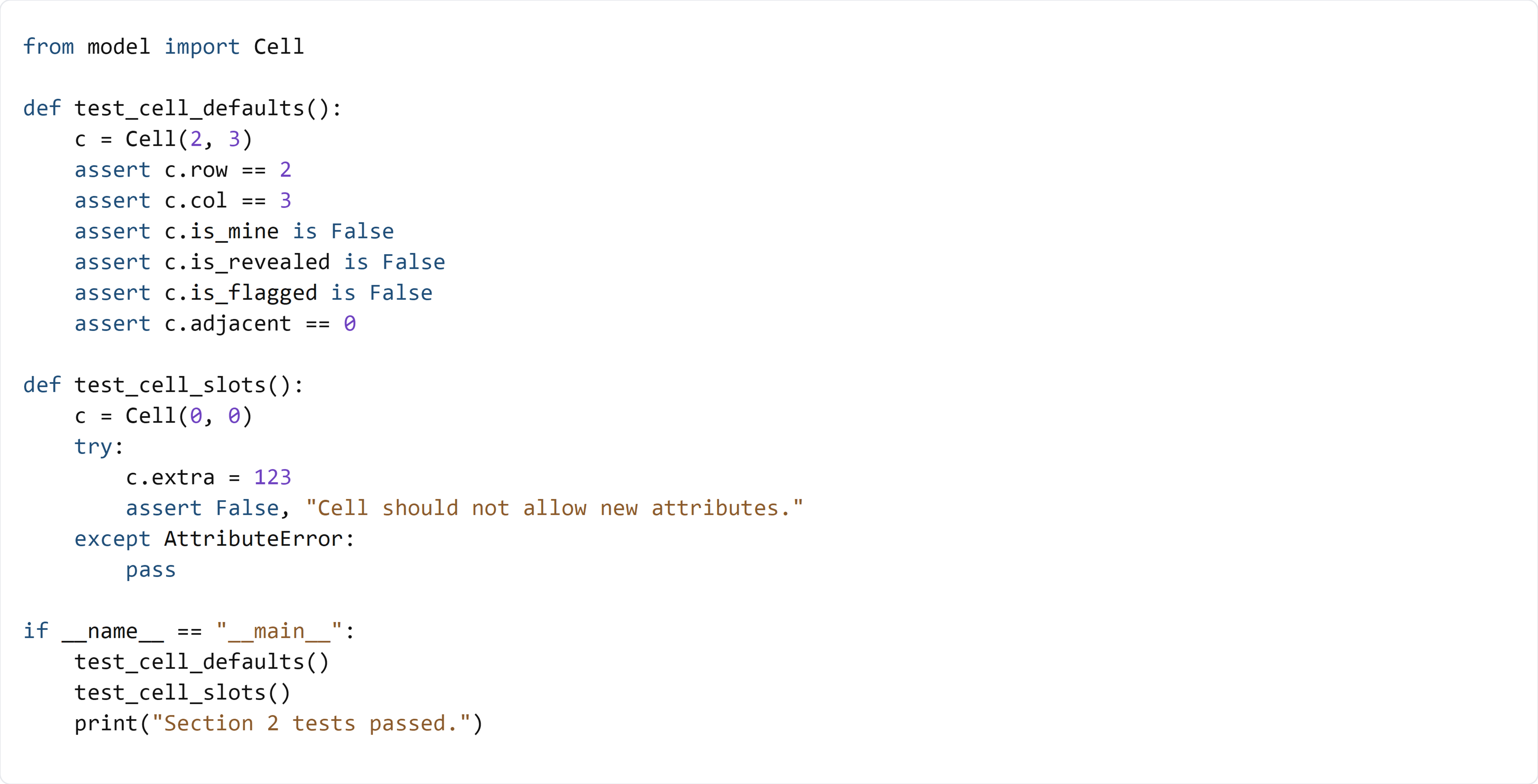
This test creates a Cell and checks that all default values are set correctly. It also verifies that __slots__ blocks unexpected attributes by raising an AttributeError.